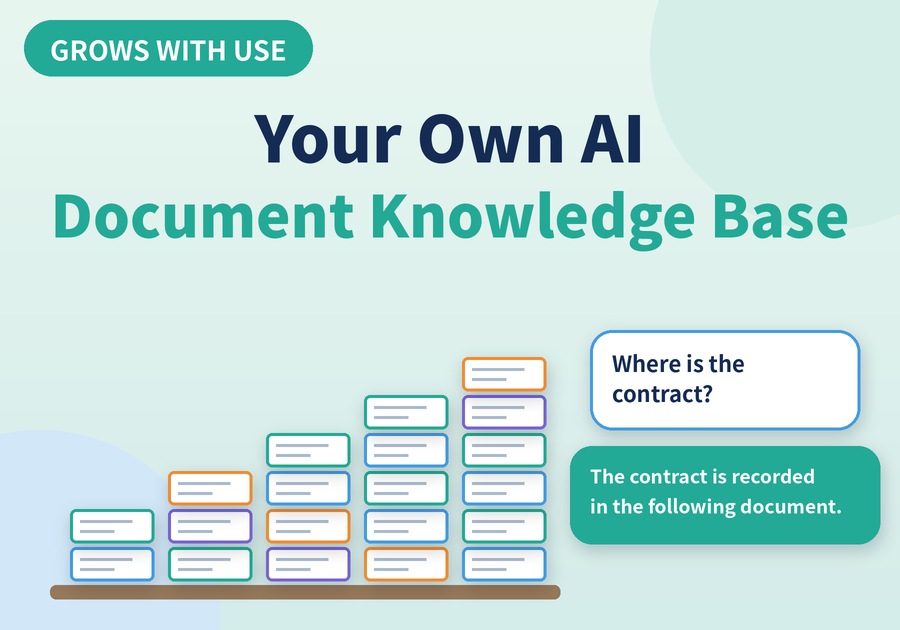
See how documents read by Newploy AI build up into a knowledge base for search and AI Q&A.
Build Your Own AI Document Knowledge Base
You scan a document, yet when you need it, you end up hunting by file name. As the pile grows, keeping it organized only gets harder.
That is why a document knowledge base becomes useful: it does not just store files, it answers questions. With Newploy AI, once OCR reads the text, the document becomes material that AI can refer to. A document knowledge base starts growing the moment a document is recognized. Let's walk through how it builds up and how to use it.
1. A Document Knowledge Base Starts with OCR
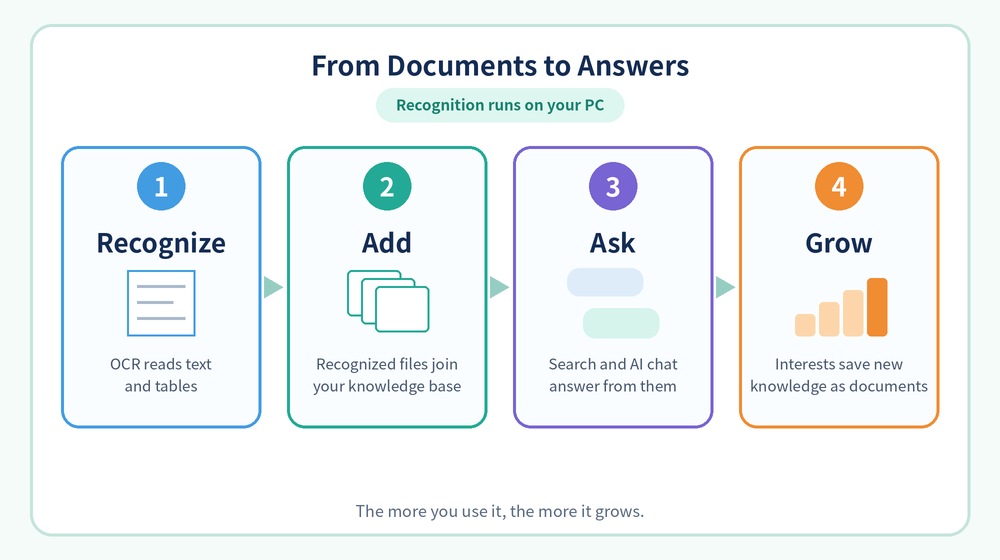
First, let's compare a document before and after recognition.
Stage | Document state | How you can use it |
|---|---|---|
Before recognition | Scanned or photographed image | Find it by file name |
After recognition | Text and tables become readable | Automatically included in document search and AI chat |
As you can see, an image-only document is hard to search. In contrast, a recognized document can be read for its text and tables. A recognized document joins your document knowledge base without any extra steps.
2. Smarter Search for Your Document Knowledge Base
Next, let's look at how to pull answers out of your document knowledge base.
Feature | What it does |
|---|---|
Document search | Finds content inside your documents |
Document list search | Finds a document in your list |
Semantic search skill | Improves AI chat and in-document search once installed |
AI chat | Answers questions based on your documents |
In particular, installing the semantic search skill improves both AI chat and in-document search. In addition, AI chat can use web search as well. Keep in mind that web search uses an internet connection, while document recognition and analysis stay on your PC.
3. Interests: A Document Knowledge Base That Grows with Use
Meanwhile, there is a way to add knowledge without feeding in documents yourself: the Interests feature.
Step | What happens |
|---|---|
① Set up | Organizes long- and short-term topics from the documents you read and the websites and keywords you choose |
② Collect | Gathers related web knowledge on your schedule and delivers it |
③ Save | Saved items pile up as documents in the Documents tab |
The analysis that organizes your topics runs on your PC. As a result, saved knowledge piles up as documents, so your document knowledge base grows the more you use it. However, collecting web knowledge does use an internet connection.
Getting Started with a Document Knowledge Base
Newploy AI is an on-device document AI, so recognition happens on your PC. In addition, it runs on a CPU alone, so a standard office PC is a fine place to start, and basic OCR is free. If you share documents with a colleague on the same network, they can use them right away without recognizing them again.
It is fine if your shelf starts out empty. Recognize one document you read today and put it on the shelf. One becomes two, and before long you have your own library that answers back.
Learn more at newploy.ai.