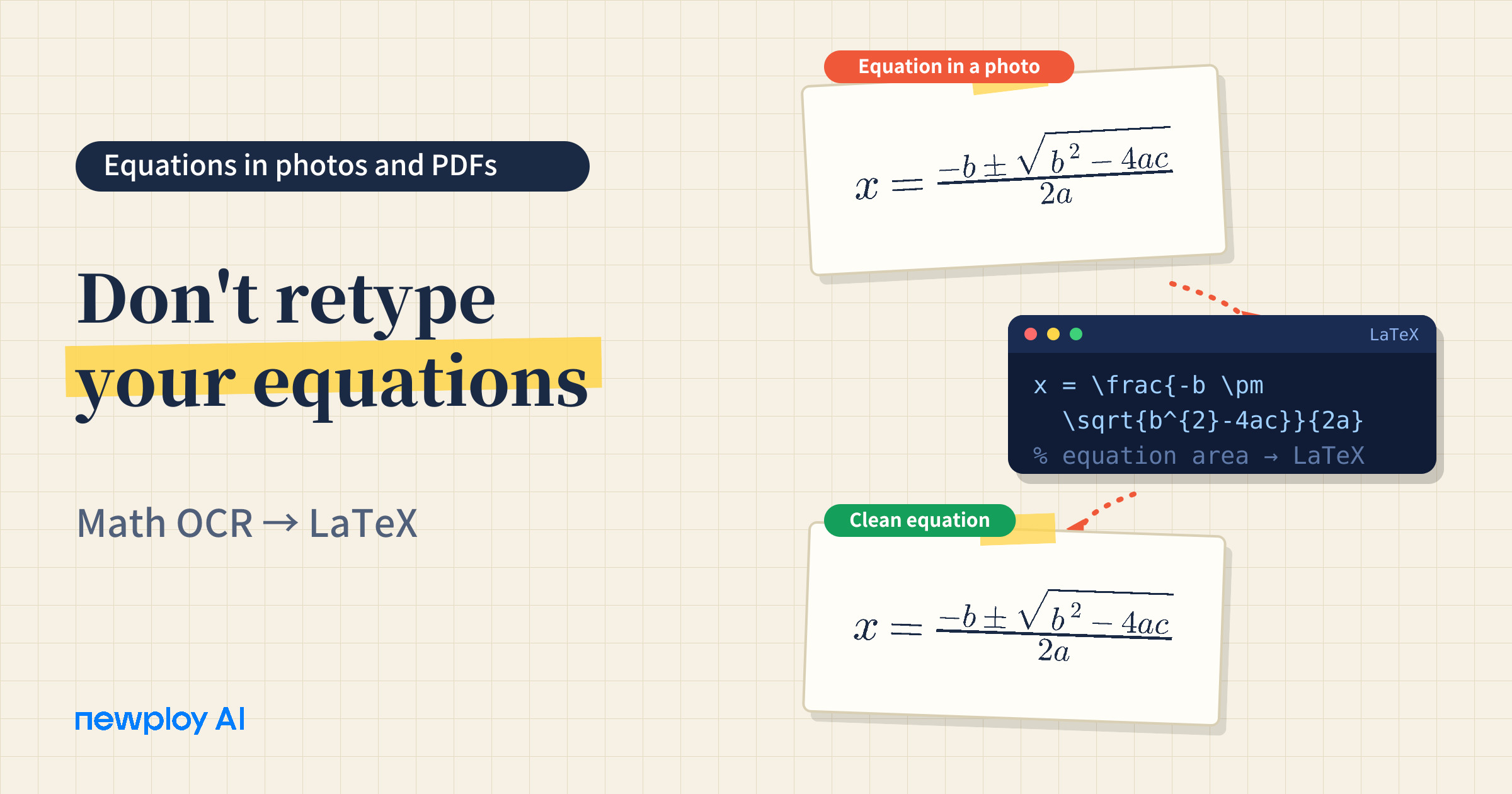
Math OCR turns equations in photos and PDFs into LaTeX code. See how it works and what to check before you rely on the result.
Math OCR: How to Turn Equations in Photos and PDFs into LaTeX
Math OCR matters the moment you try to copy an equation out of a paper or a textbook photo. The characters come out scrambled, or you cannot select them at all. As a result, you end up retyping every fraction, superscript, and integral from scratch.
In this guide, we use Newploy AI as the example. You will see how equations in your documents become LaTeX, how to use it, and what to check in the result.
What Is Math OCR?
Regular OCR is good at reading characters. An equation, however, is more than a few characters, because its meaning comes from position and structure. In a fraction, the top and bottom matter. In a power, the raised number matters. In an integral, the upper and lower limits matter.
That is why math OCR recognizes the equation area on its own and converts it into LaTeX code. Newploy AI includes this as a built-in skill, so equations in photos and PDFs come out as text.
Regular OCR | Math OCR (Newploy AI) | |
|---|---|---|
What it reads | Characters | Equation structure: fractions, superscripts, integrals |
Result | A flat line of text | LaTeX code |
When equations appear | Structure tends to fall apart | The equation area is recognized separately |
In short, the difference is reading characters versus reading structure.
What Makes Moving Equations So Painful?
There are three common ways to move an equation out of a document: type it by hand, capture the screen and paste an image, or use math OCR.
Method | Upside | Downside |
|---|---|---|
Typing by hand | You write exactly what you want | Slow for long equations, and typos creep in |
Screenshot | Quick to paste | It is an image, so you cannot edit part of it |
Math OCR | Reads the structure and returns LaTeX code | You should compare the result with the original once |
So, the more equations a document has, the more it helps to avoid both the effort of retyping and the limits of an image.
Why LaTeX?
LaTeX is a way of writing equations as plain-text code. For example, a fraction is written \frac{a}{b} and a square is written x^2. Because it is text rather than a picture, it is easy to copy, paste, and edit.
Once an equation is LaTeX code, you can use it as is in any editor or tool that supports LaTeX, with no retyping. Better still, if you only need to change one part, you edit a character or two of code, which beats working with a pasted image.
How It Works in Newploy AI
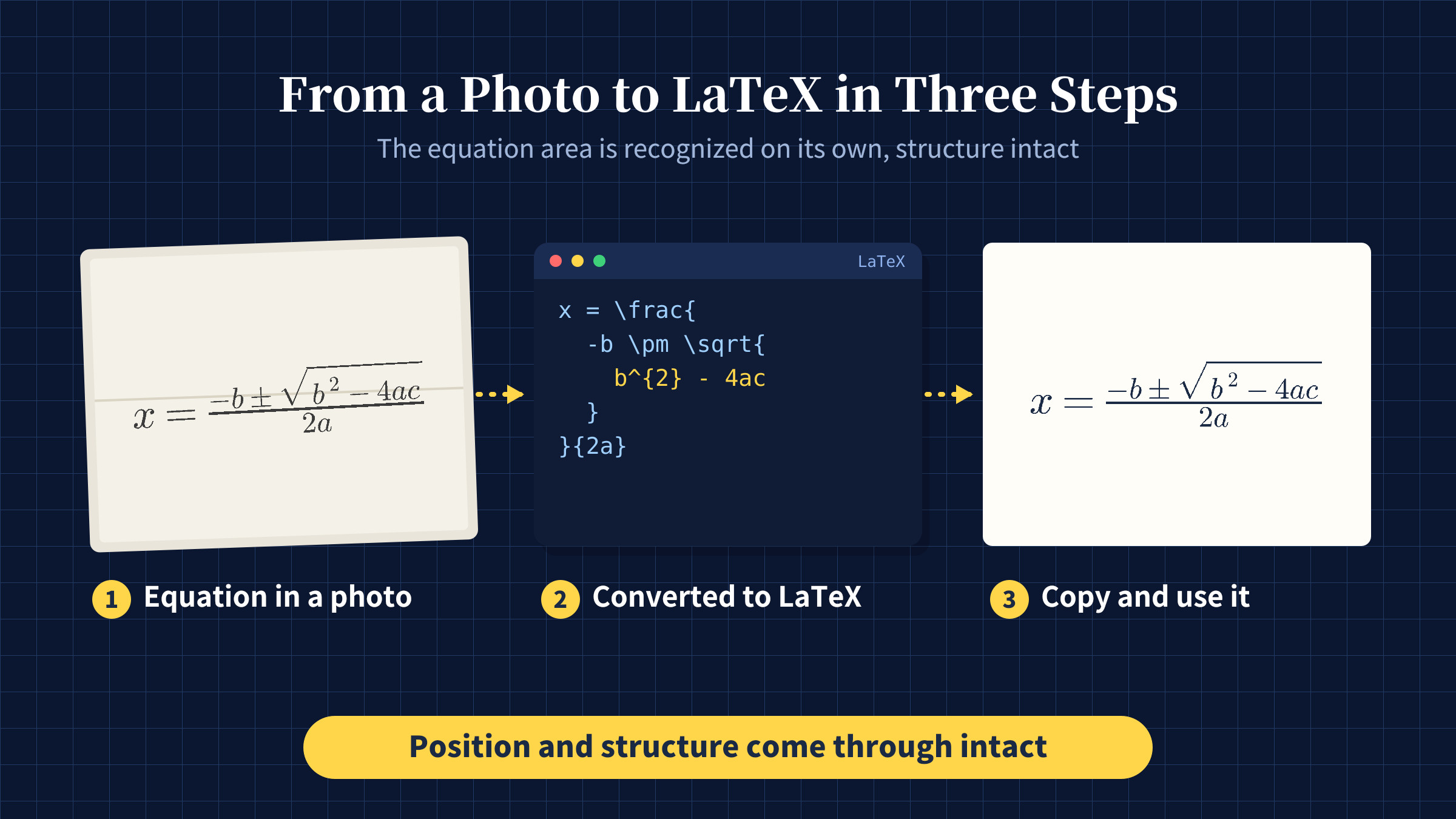
The flow is simple. First, you load a PDF, JPG, or PNG, and layout recognition separates body text, tables, and equations into regions. Next, math OCR runs on the equation regions and converts them to LaTeX. Finally, you copy the result and paste it where you need it.
Recognized text is not exported as a file. Instead, you copy and paste it, so only the final paste is manual. Plus, documents are processed on your PC and never sent outside, so unpublished research and exam questions stay private.
What to Check in the Result
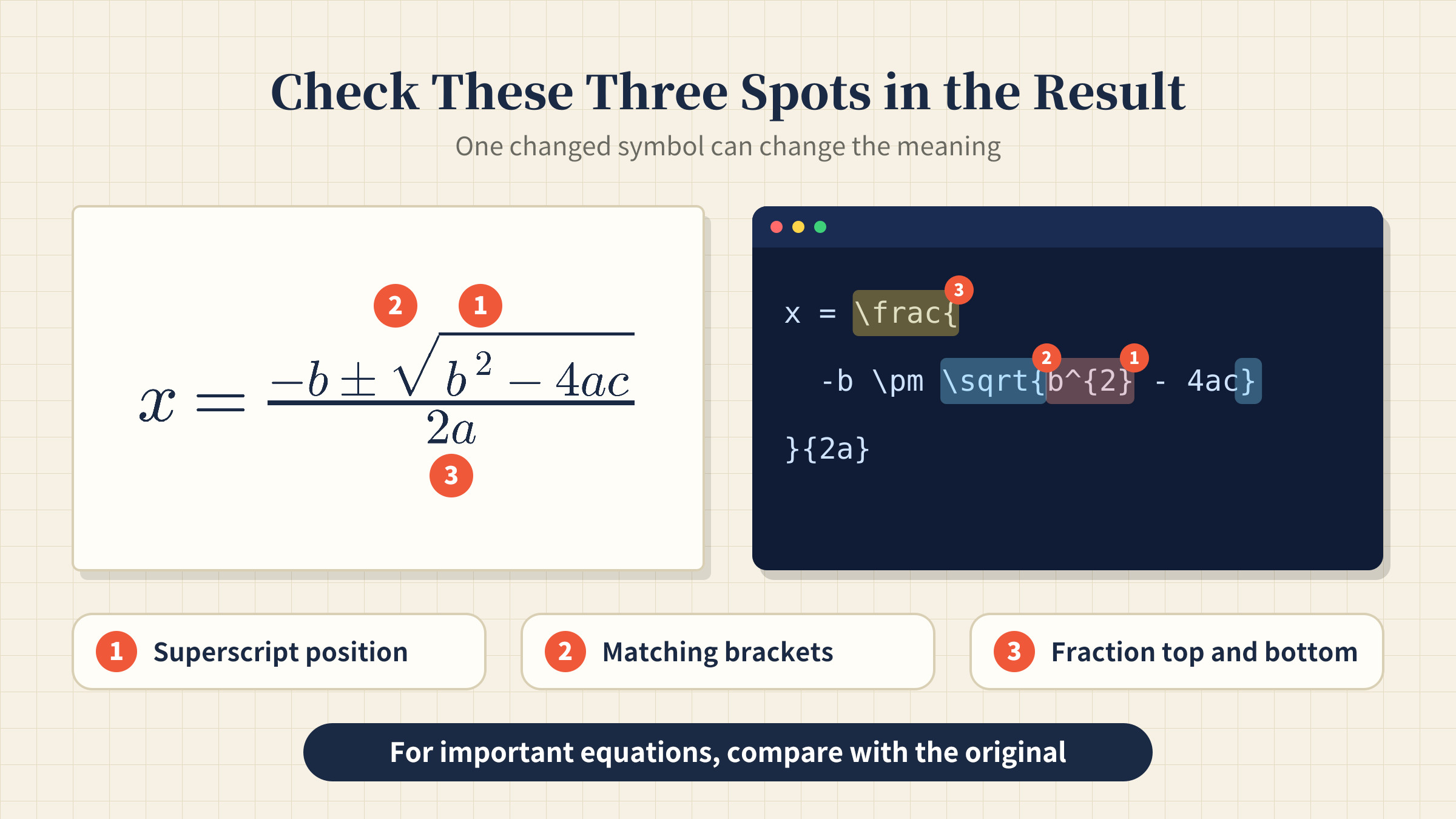
One changed symbol can change the meaning of an equation. Therefore, compare the result with the original before you rely on it. The table below shows where to look first.
What to check | Why it matters |
|---|---|
Superscript and exponent positions | A shifted position changes the value |
Matching brackets | Every opened bracket needs a close |
Look-alike symbols | The digit 1 and the letter l are easy to confuse |
Numerator and denominator | Make sure top and bottom are not swapped |
With this short pass, you can review the essentials without rereading everything.
How to Use Math OCR
The steps are short, and the table below keeps you on track.
Step | What to do | Note |
|---|---|---|
1 | Install Newploy AI | It runs on desktops and laptops |
2 | Load a PDF, JPG, or PNG with equations | Move phone photos to your PC first |
3 | Run document recognition | Body, tables, and equations are split into regions |
4 | Review the LaTeX for each equation | Compare it with the original once |
5 | Copy the result and paste it where you need it | Use it in tools that support LaTeX |
Step 4 matters most. For important equations, always compare the result with the original.
Where Math OCR Helps in Practice
Graduate students and researchers
Citing an equation from another paper usually means typing it again. However, if you pull it from the PDF or a photo straight into LaTeX, you save a lot of input time. In addition, you can fix just the part you need in the code.
Teachers and tutors
You often photograph textbook problems and rebuild them in a new worksheet. Therefore, turning equations in photos into text makes it easier to adjust problems a little at a time. Also, since files never leave your PC, handling exam questions is less worrying.
Engineers writing technical documents
Specifications and reports mix equations with prose. As a result, recognizing body text and equations as separate regions makes it much easier to pull out the equations and organize them.
Frequently Asked Questions
Q. What format are equations converted to?
LaTeX code. The math OCR skill in Newploy AI handles this.
Q. Does it work on documents that mix text and equations?
Yes. Layout recognition reads body text and equations as separate regions.
Q. Can I use it without internet?
Yes, once it is installed, document recognition works normally without an internet connection. You only need internet to download the installer.
Q. Does it run on a smartphone?
Not yet. It currently runs on desktops and laptops only. Move photos from your phone to your PC before recognizing them.
Conclusion
The core of math OCR is simple: bring equations in as LaTeX, structure intact, without retyping. Newploy AI recognizes equation areas on their own, converts them to LaTeX, and keeps your files on your PC. If you work with equations often, install it once and give it a try.
Try it now: Download Newploy AI
Learn more: About Newploy AI
Planning a rollout for your company? Contact us