Let's take a look at whether cloud OCR can be trusted, where your data goes once it's sent outside, and what to know about the services and their policies.
Digitizing Documents : Can You Really Trust Cloud OCR?
If you've ever uploaded a scanned document to a cloud OCR service, chances are you've had that uneasy thought at least once: "Is it really okay for this toleave our company network?" But going back to manual data entry after adopting OCR to make life easier doesn't feel right either.
In this post, I'll walk you through where your documents actually go when you use cloud OCR, and what to look for when deciding whether it's safe to hand over documents containing personal information.
Cloud OCR: Where Exactly Do Your Documents Go?
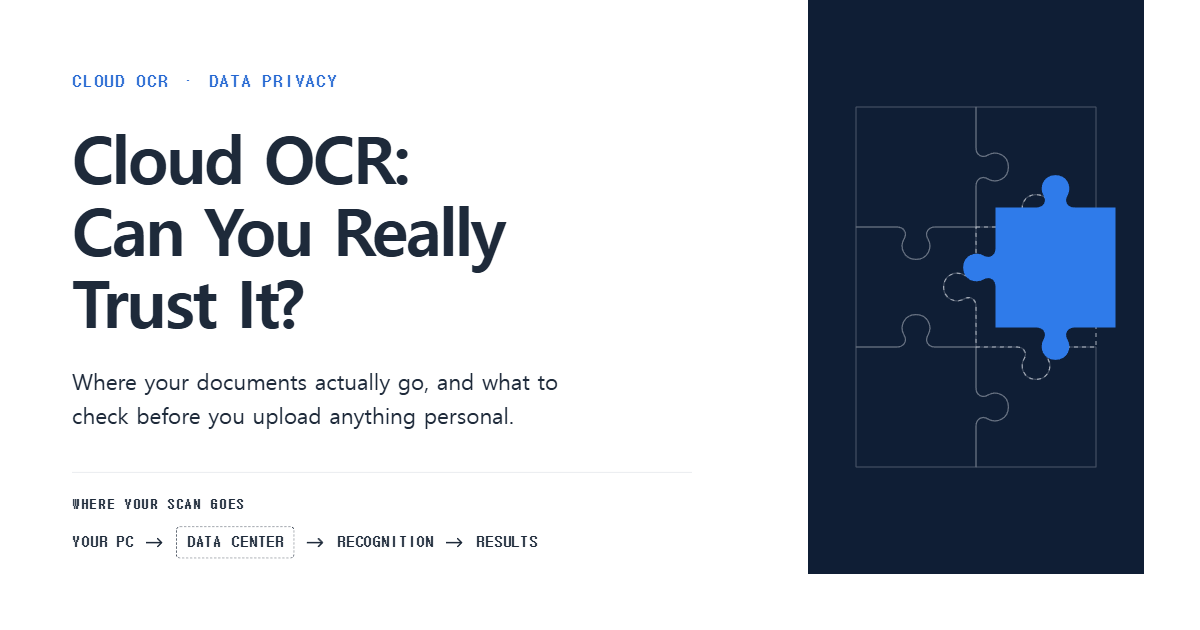
Let's start with how the data flows. In most cases, cloud OCR sends your data through the following steps.
“Upload scan → Send to provider’s data center → Recognize text → Return results”
Here's the problem: you can't see what happens in between.
Where the data center is located, whether the original images are deleted after processing : As a user, you have no real way of knowing where the data center is or whether the original images are deleted after processing.
From a legal standpoint, this isn't an issue you can afford to overlook.
Under Korea's Personal Information Protection Act (PIPA), this clearly constitutes outsourcing the processing of personal information (Article 26).
The scope of the outsourced work, a ban on using the data for any other purpose, and technical and administrative safeguards : all of this has to be set out in writing (i.e., a contract)!
On top of that, you need to disclose these details in your privacy policy.
And if the servers are located overseas, the rules on cross-border data transfers apply as well.
In other words, "I didn't know" won't cut it. The companies using these services aren't off the hook either.
Cloud OCR Services: Which Ones Can You Trust, and Which Should You Watch Out For?
That's not to say all cloud OCR is risky.
It's really about choosing wisely, and the table below should give you a good sense of what to look for.
Category | Trustworthy Services | Services to Watch Out For |
|---|---|---|
Server location disclosure | Clearly states whether its data centers are in Korea or overseas | Server location is unknown or never mentioned |
Outsourcing disclosure | Privacy policy lists the contractor, the outsourced tasks, and the outsourcing period | Only vaguely says something like “We may outsource to third parties” |
Security certification | Holds third-party certifications such as ISMS-P | No way to verify whether it’s certified |
Data retention | Deletes data right after processing, or states a clear deletion deadline | Says only “securely managed,” with no mention of how long data is kept |
Data transmission | Uses encrypted transmission such as HTTPS | Doesn’t say whether data is encrypted |
If a service spells out all five of these clearly, you can at least count on it to be accountable.
On the other hand, if everything is vague and fuzzy, I'd strongly recommend not uploading sensitive documents, no matter how accurate or convenient it is!!
Clearing Up the Myth That "Cloud OCR Is Always Dangerous"
"Expensive means secure"
Price and security are two separate things. Plenty of high-priced services don't disclose their outsourcing details either.
"A Korean company means Korean servers"
Not true. Even Korean companies sometimes run on overseas regions of foreign cloud OCR providers. Check where the data center is, not where the company is based.
"The cloud is riskier than in-house servers"
Not necessarily. A cloud service with a dedicated security team can be safer than an in-house server with no one in charge of security. What matters isn't cloud versus in-house, but how well it's managed.
Safeguards That Ease Your Concerns
Trustworthy providers don't just say the right things; they back it up with real technical safeguards.
Data masking and de-identification — Automatically hides or replaces identifying information, such as national ID numbers and bank account numbers, before the data is sent.
Isolated processing environment — Processes each customer's data in physically and logically separated environments, so a problem in one can't spread to another.
Automatic deletion schedule — The system automatically deletes the original files after a set period following processing (e.g., 24 hours or 7 days).
Access logging — Records who accessed the data and when, so the cause can be traced if an incident occurs.
On-device OCR — This approach never sends your data outside at all. Text recognition happens right on your own PC or in-house server. If the four safeguards above are about "sending data, but safely," this one is about "never sending it in the first place," so unless your own PC or server gets hacked, nothing leaks out.
Rather than sticking with manual entry out of vague worry, what matters is carefully reviewing each service's safeguards and policies, and using digitization to build an efficient workflow.
Skip the manual entry. NEWPLOY AI FREE 👇: on-device document structuring, no external servers.